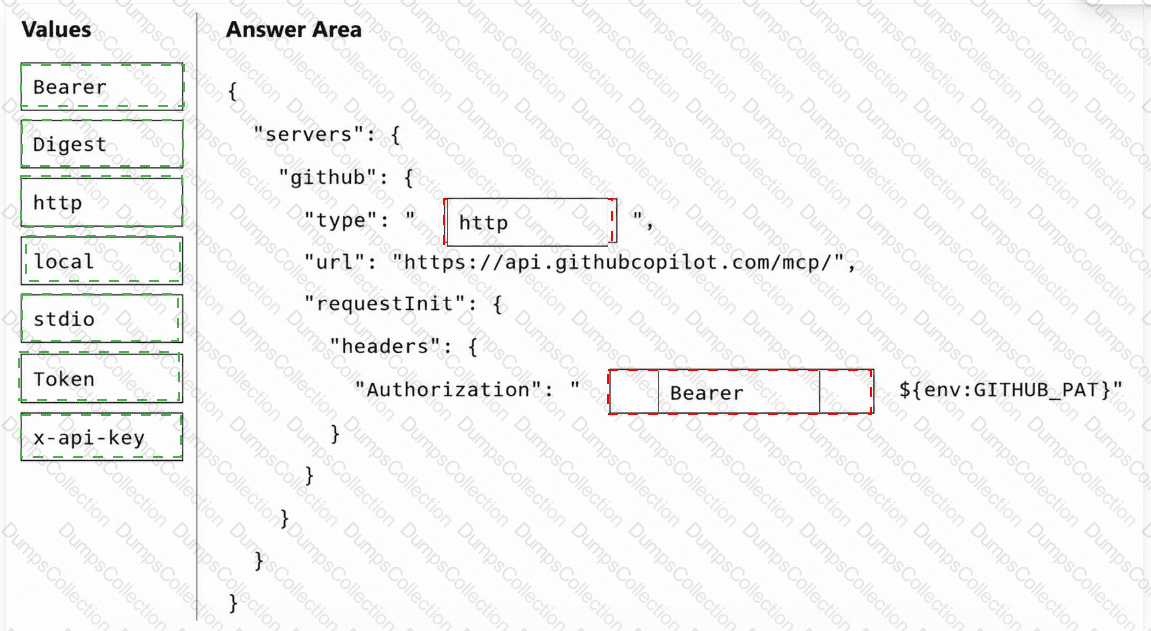
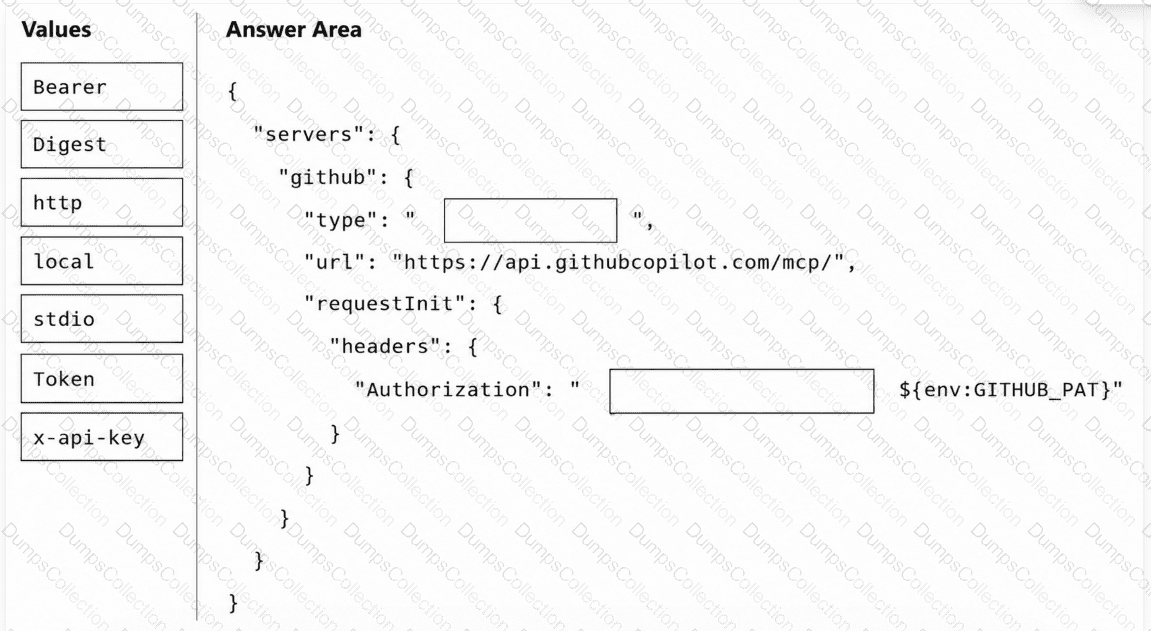
Your team uses a remote GitHub Model Context Protocol (MCP) server for workflows in the software development life cycle (SDLC).
You need to commit a workspace-scoped MCP configuration to ensure that GitHub Copilot can connect to the GitHub-hosted MCP endpoint and authenticate by using a GitHub personal access token (PAT).
How should you complete the mcp.json configuration file? To answer, drag the appropriate values to the correct targets. Each value may be used once, more than once, or not at all. You may need to drag the split bar between panes or scroll to view content.
NOTE: Each correct selection is worth one point.
You have a GitHub Enterprise repository that runs an autonomous agent by using a GitHub Actions workflow. The workflow has the following jobs:
agent-run that generates trace.json and plan.md
review that waits for human approval before continuing
deploy that uses the outputs from agent-run
You need to make the files inspectable in the GitHub Actions UI and ensure that the files are available to the review and deploy jobs.
What should you do in the workflow?
You have a GitHub Enterprise Cloud repository that uses GitHub Actions for CI and requires pull requests for all changes.
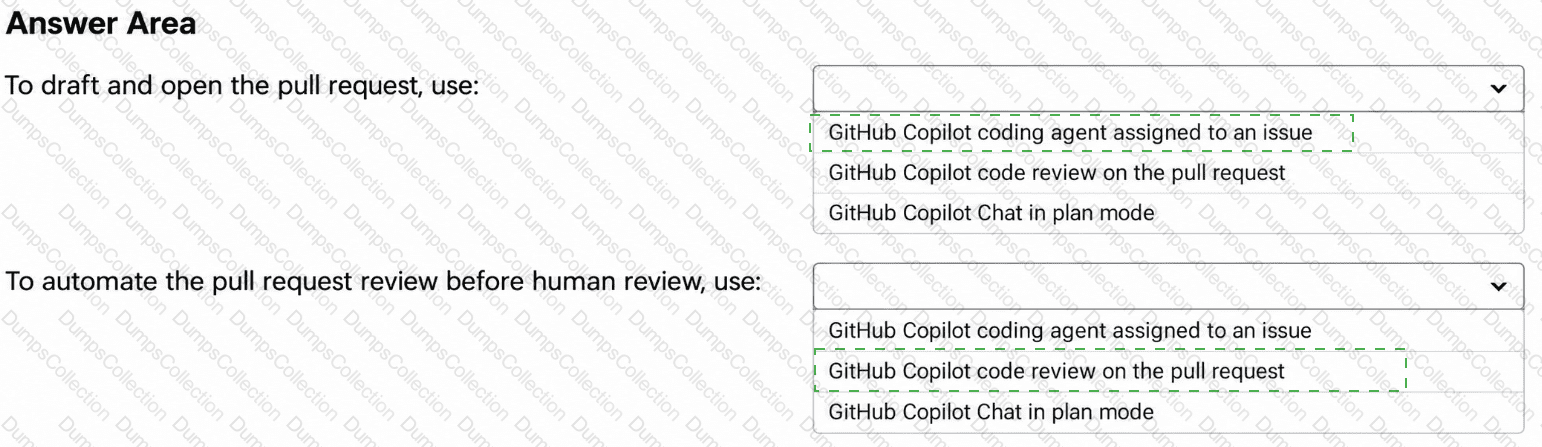
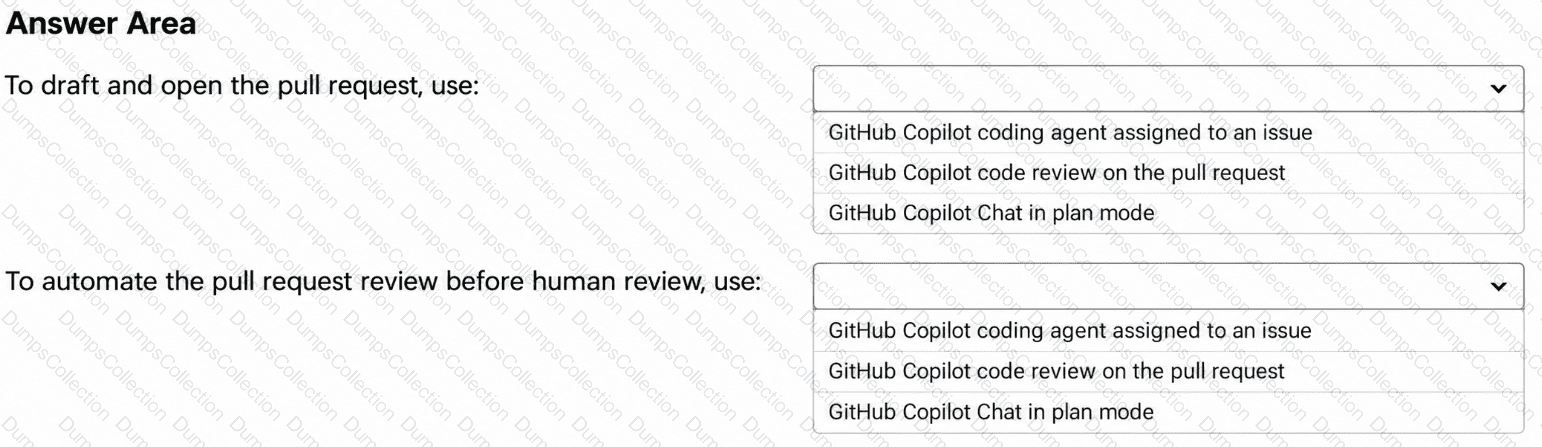
You are planning a GitHub Actions workflow where a coding agent drafts implementation changes and tests from GitHub issues, and an automated review runs before human review.
You need the agent to draft changes from an assigned issue, open a pull request, and add an automated review to the pull request before requesting a human review.
What should you do? To answer, select the appropriate options in the answer area.
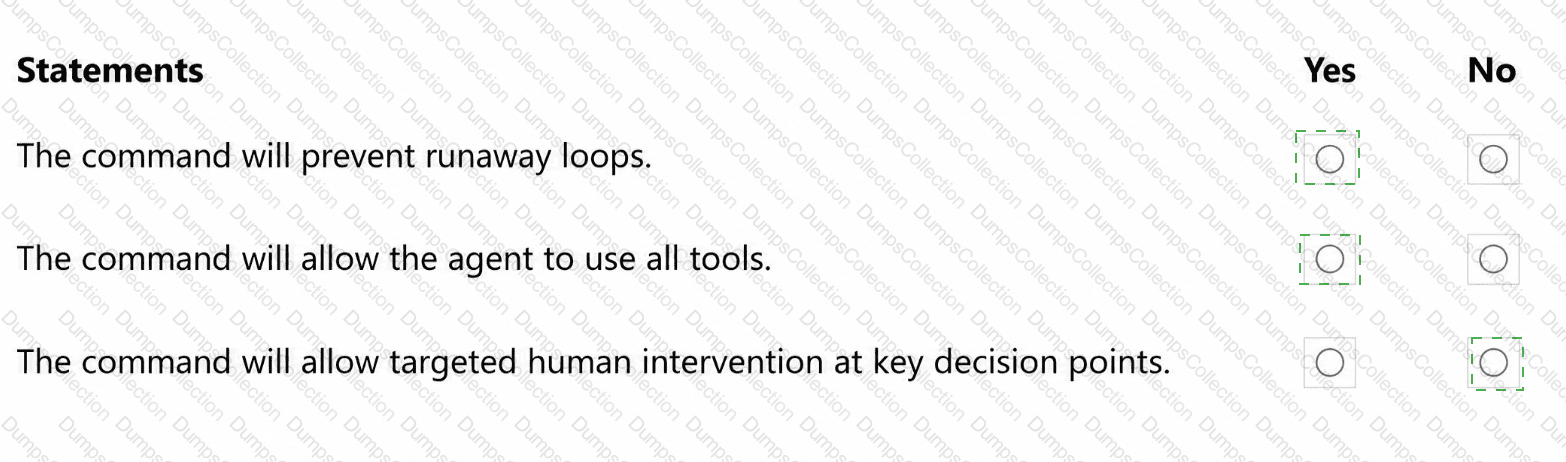
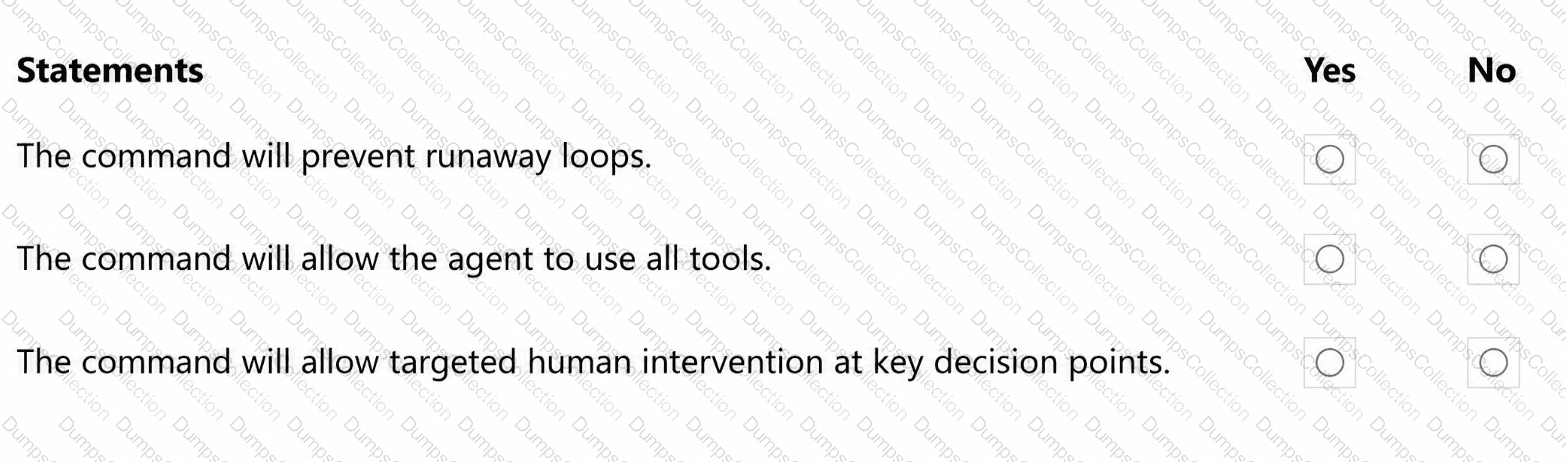
You have a GitHub repository that uses the following GitHub Copilot CLI command in a Bash script.
#!/usr/bin/env bash
set -euo pipefail
PROMPT= " Update dependencies, run tests, and open a pull request if changes are needed. "
copilot --autopilot --yolo --max-autopilot-continues 10 -p " $PROMPT "
For each of the following statements, select Yes if the statement is true. Otherwise, select No .
NOTE: Each correct selection is worth one point.
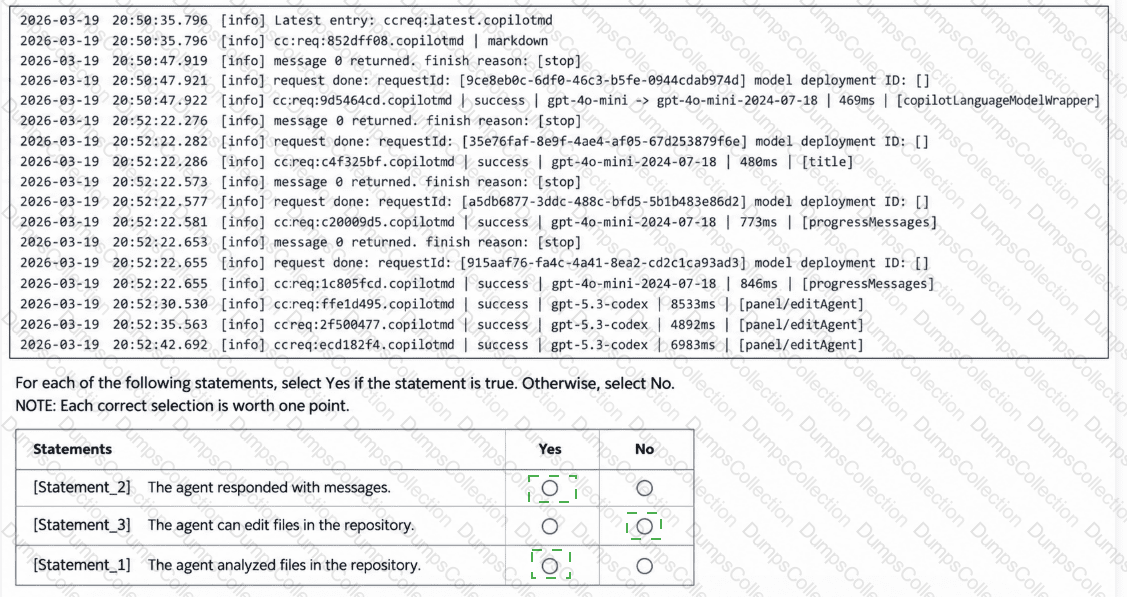
You have the following agent logs.
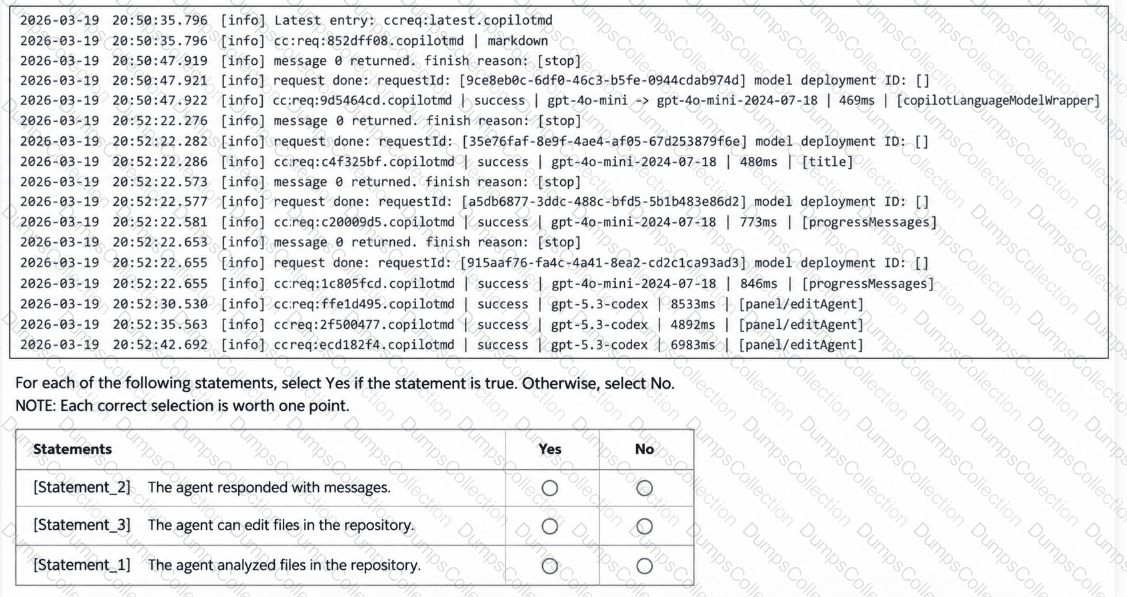
You have a GitHub Enterprise Cloud organization that uses GitHub Actions for CI/CD.
You plan to enable an agent to update and deploy workflows that access production environment secrets.
You need to select an autonomy level for a compliance-sensitive workflow.
Which autonomy level should you select?
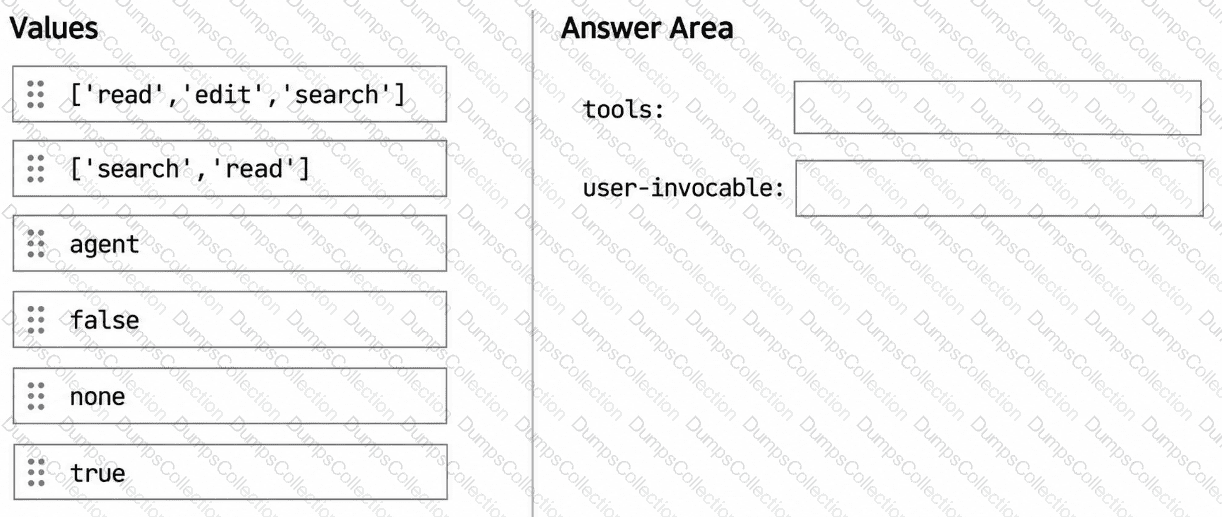
You have a GitHub Copilot Enterprise subscription. Developers use Microsoft Visual Studio Code and GitHub Copilot.
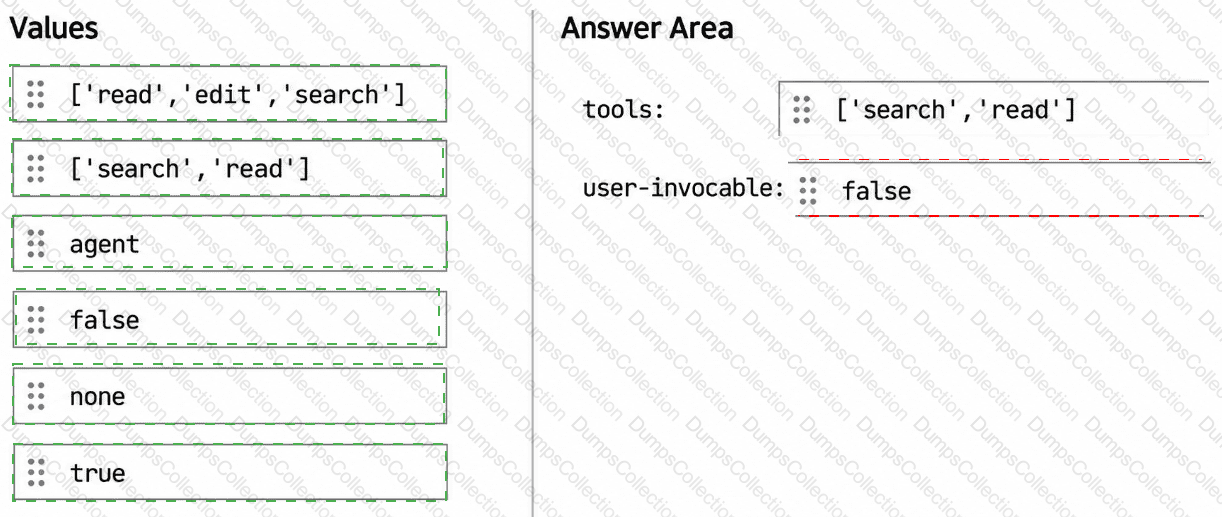
The developers want to share a custom agent that can review code changes but cannot modify files.
You need to prevent the agent from modifying repository content and appearing in the agents dropdown.
How should you configure the YAML frontmatter for the agent? To answer, drag the appropriate values to the correct targets. Each value may be used once, more than once, or not at all. You may need to drag the split bar between panes or scroll to view content.
NOTE: Each correct selection is worth one point.
You need finer control, selecting specific files and describing precise natural-language changes to apply, rather than letting the agent decide the full scope of changes. Which Copilot Chat mode should you use?
You have a GitHub Actions workflow that runs GitHub Copilot-driven integration tests across multiple jobs.
You need to persist the agent memory/state so that it remains available across the jobs.
What should you do?
An agentic coding session in the terminal has grown too long, and you want to discard all prior conversation history and start clean, without summarization. Which slash command should you run?

TESTED 29 Sep 2026