You are a marketing automation consultant.
Your customer wants to understand the benefits of using the query assist feature in Dynamics 365 Customer Insights - Journeys. Why might your customer want to use this feature?
You are working with the Contact table in Dynamics 365 Sales.
The sellers want to add additional information from the Account table to the existing read-only columns visible on the Contact form.
You need to identify which form to update.
Which type of form should you look for in the available options for the Account table?
Note: This question is part of a series of questions that present the same scenario. Each question in the series contains a unique solution that might meet the stated goals. Some question sets might have more than one correct solution, while others might not have a correct solution.
After you answer a question in this section, you will NOT be able to return to it. As a result, these questions will not appear in the review screen.
A company’s IT department has a .CSV file stored on one of their Shared Documents folders within their Microsoft SharePoint sites. The data from the .CSV file is ingested into Dynamics 365 Customer Insights - Data.
The file contains a row header and columns of different types, such as quantities and prices. The file also contains some rows with a high proportion of nulls.
You need to clean and transform the data in Customer Insights - Data to be ready for unification.
Solution: Remove any rows where the primary key is missing, delete any leading or trailing zeros on the primary key, and name the query. Select Next and your data is now ready for unification.
Does this meet the goal?
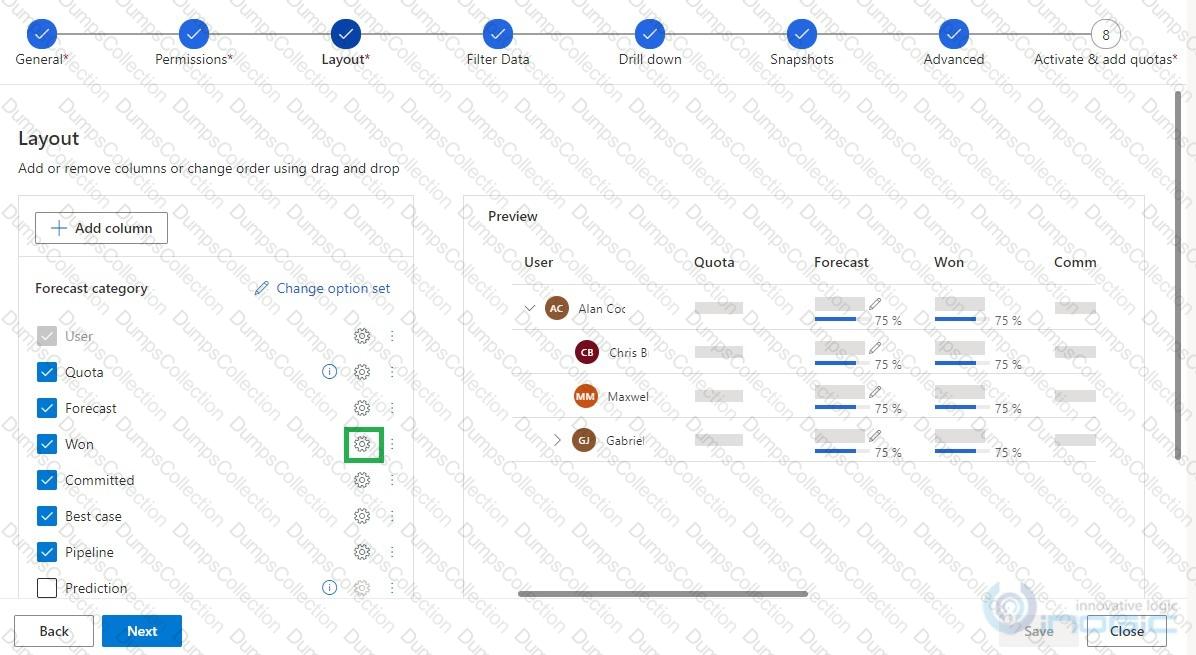
You configure forecasts for a clothing manufacturer.
A salesperson updates an opportunity and wants to refresh the forecast.
You need to show the salesperson how to refresh the forecast.
Solution: Update the roll-up recurrence frequency.
Does this meet the goal?
In the weeks leading up to the holiday season, the marketing department sets up a new segment-based journey.
The journey sends a marketing email to all wine enthusiasts who meet the following requirements:
1. The wine enthusiasts have a recorded wine order against their contact record.
2. The wine enthusiasts live in Europe.
You need to ensure that newly added wine enthusiasts also receive this email automatically.
How should you set up the segment?
You are working in a manufacturing company that is struggling to get their sales department to input all relevant information into Dynamics 365 for Sales.
You need to deploy the Dynamics 365 App for Outlook for all eligible users as efficiently as possible.
What should you do?
A company has three business units. User privileges are set to ensure that users can only see records owned by their own business units.
If a contact is needed for all business units, one contact record must be created for each business unit. A contact is considered a duplicate if the First Name, Last Name, Email or Preferred Phone, and Business Unit columns match.
You must ensure that duplicate records are NOT created for contacts.
You need to create the duplicate detection rules.
Which two filters should you configure? Each correct answer is part of the complete solution. (Choose two.)
NOTE: Each correct selection is worth one point.
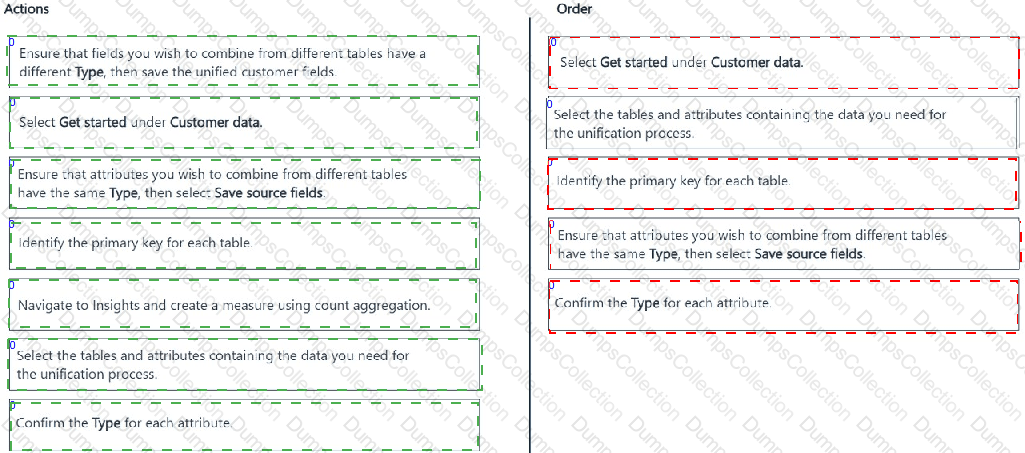
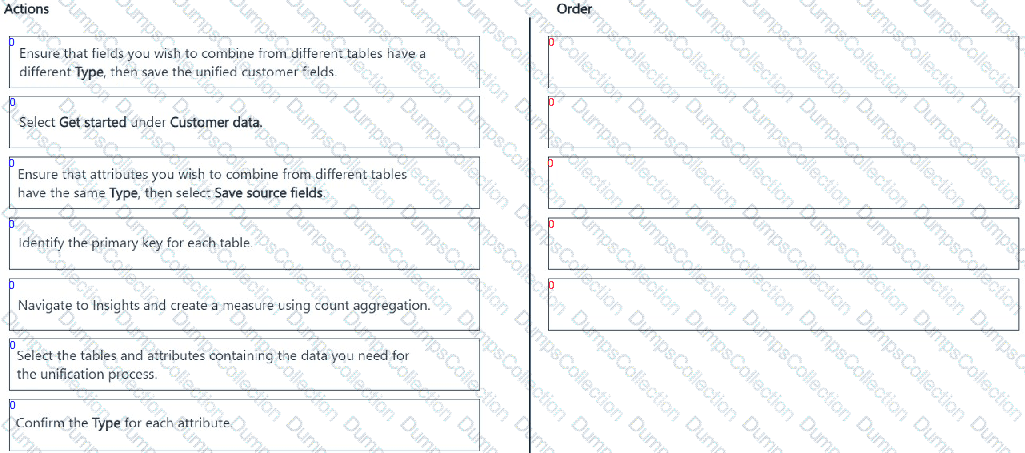
You are implementing a new Dynamics 365 Customer Insights - Data environment for your organization.
You complete ingesting the data you need to unify and navigate to the correct page in the Customer Insights - Data application to begin the unification process.
You need to complete the first part of the unification process following best practices.
Which five actions should you perform in sequence? To answer, move the five appropriate actions from the list of actions to the answer area. Arrange the five actions in the correct order.
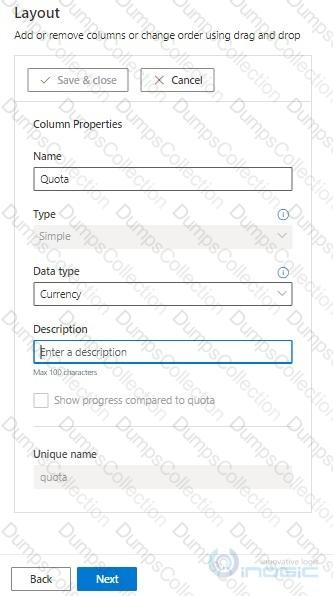
You need to create a Trend chart.
Which two types of columns can you add to the Trend chart? Each correct answer presents a complete solution. (Choose two.)
NOTE: Each correct selection is worth one point.
A company ' s IT department has a .CSV file stored on one of their Shared Documents folders within their Microsoft SharePoint sites. The data from the .CSV file is ingested into Dynamics 365 Customer Insights - Data.
The file contains a row header and columns of different types, such as quantities and prices. The file also contains some rows with a high proportion of nulls.
You need to clean and transform the data in Customer Insights - Data to be ready for unification.
Solution: Transform the first row to be used as headers. Define column types to be appropriate field types and name the query. Create a full name and full address columns by merging the appropriate columns if they exist. Select Next and your data is now ready for unification.
Does this meet the goal?

TESTED 18 Jul 2026