Weekend Sale Special Limited Time 75% Discount Offer - Ends in 0d 00h 00m 00s - Coupon code: discbf75DC

Page: 1 / 4
Total 40 questions
Exam Code: MD-102                Update: Oct 3, 2026
Exam Name: Managing and Securing Microsoft 365 Endpoints by using Intune

Microsoft Managing and Securing Microsoft 365 Endpoints by using Intune MD-102 Exam Dumps: Updated Questions & Answers (October 2026)

Question # 1

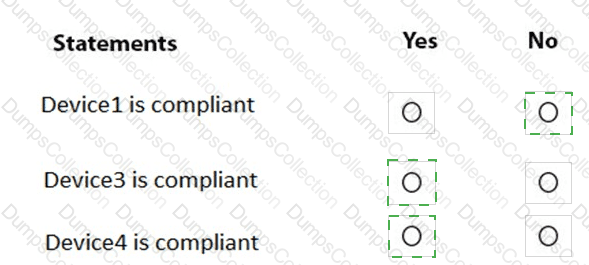
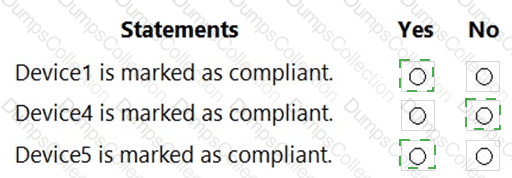
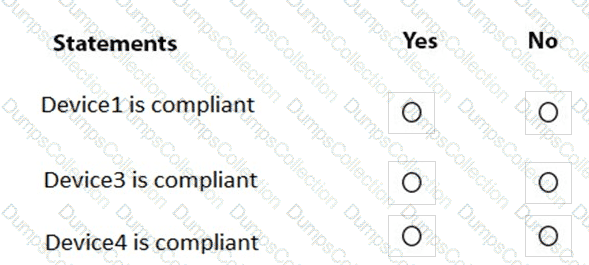
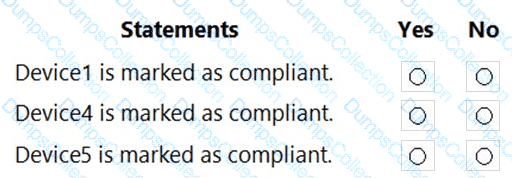
You are evaluating which devices are compliant.

For each of the following statements, select Yes if the statement is true. Otherwise, select No.

NOTE: Each correct selection is worth one point.
Question # 2

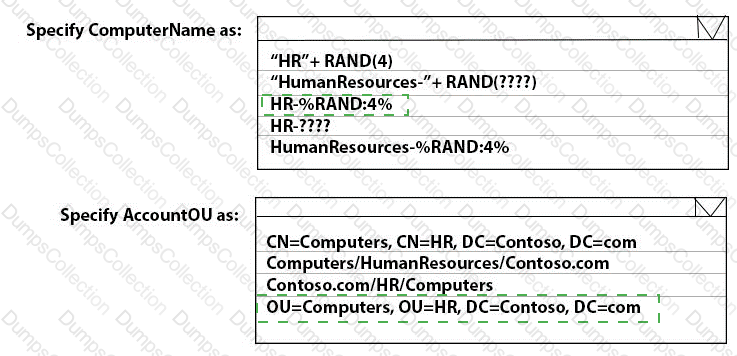
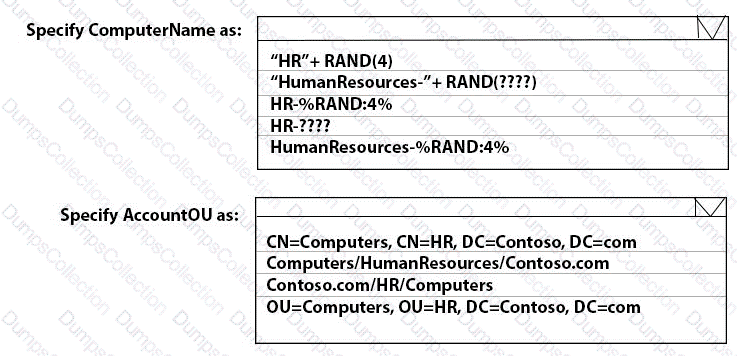
You need to meet the technical requirements for the new HR department computers.

How should you configure the provisioning package? To answer, select the appropriate options in the answer area.

NOTE: Each correct selection is worth one point.
Question # 3

You need to meet the requirements for the MKG department users.

What should you do?

A.

Assign the MKG department users the Purchaser role in Microsoft Store for Business

B.

Download the APPX file for App1 from Microsoft Store for Business

C.

Add App1 to the private store

D.

Assign the MKG department users the Basic Purchaser role in Microsoft Store for Business

E.

Acquire App1 from Microsoft Store for Business

Question # 4

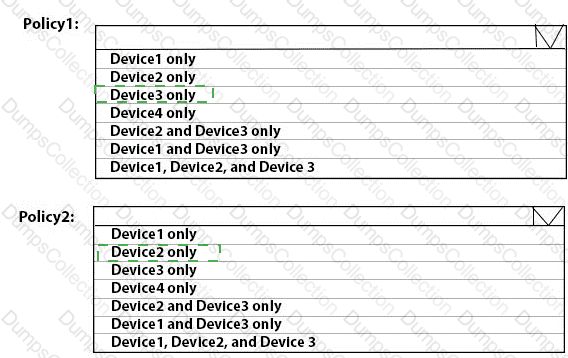
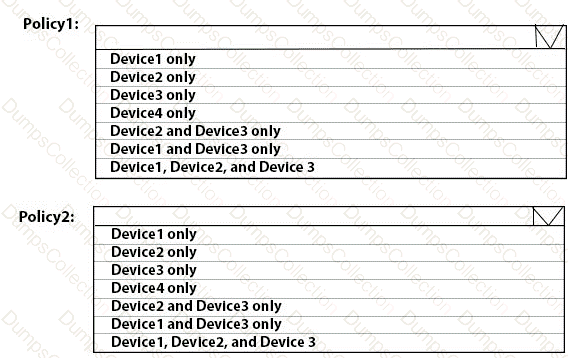
To which devices do Policy1 and Policy2 apply? To answer, select the appropriate options in the answer area.

NOTE: Each correct selection is worth one point.
Question # 5

You need to prepare for the deployment of the Phoenix office computers.

What should you do first?

A.

Extract the hardware ID information of each computer to a CSV file and upload the file from the Devices settings in Microsoft Store for Business.

B.

Generalize the computers and configure the Mobility (MDM and MAM) settings from the Azure ActiveDirectory blade in the Azure portal.

C.

Generalize the computers and configure the Device settings from the Azure Active Directory blade in the Azure portal.

D.

Extract the hardware ID information of each computer to an XLSX file and upload the file from the Devices settings in Microsoft Store for Business.

Question # 6

Which users can purchase and assign App1?

A.

User3 only

B.

User1 and User3 only

C.

User1, User2, User3, and User4

D.

User1, User3, and User4 only

E.

User3 and User4 only

Question # 7

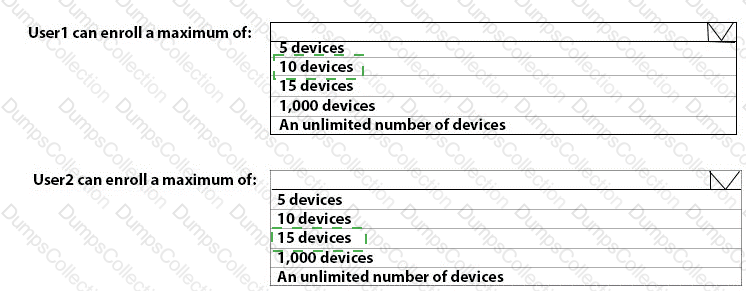
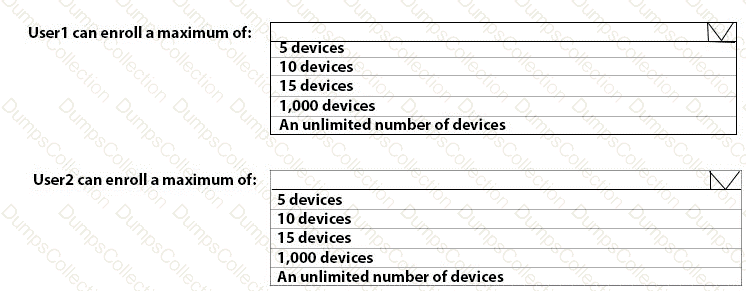
What is the maximum number of devices that User1 and User2 can enroll in Intune? To answer, select the appropriate options in the answer area.

NOTE: Each correct selection is worth one point.
Question # 8

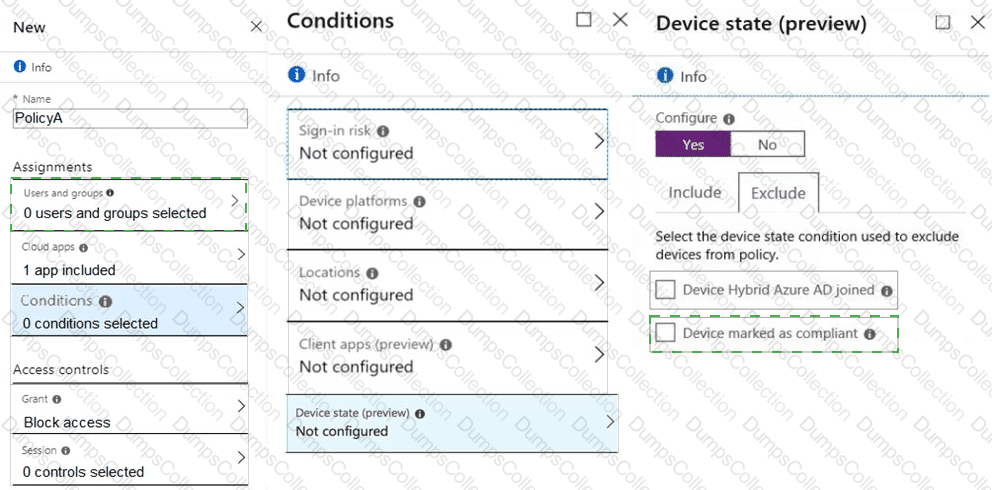
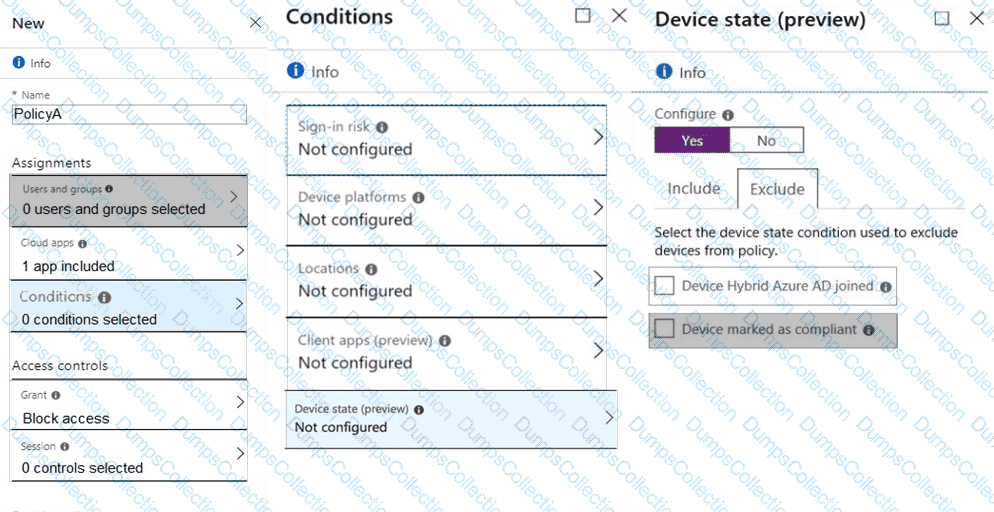
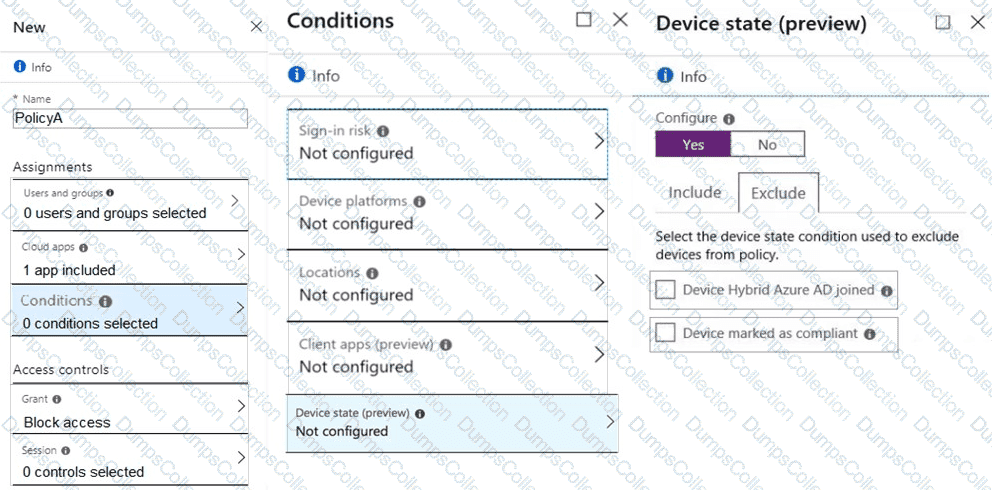
You need a new conditional access policy that has an assignment for Office 365 Exchange Online.

You need to configure the policy to meet the technical requirements for Group4.

Which two settings should you configure in the policy? To answer, select the appropriate settings in the answer area.

NOTE: Each correct selection is worth one point.
Question # 9

For each of the following statements, select Yes if the statement is true. Otherwise, select No.

NOTE: Each correct selection is worth one point.
Question # 10

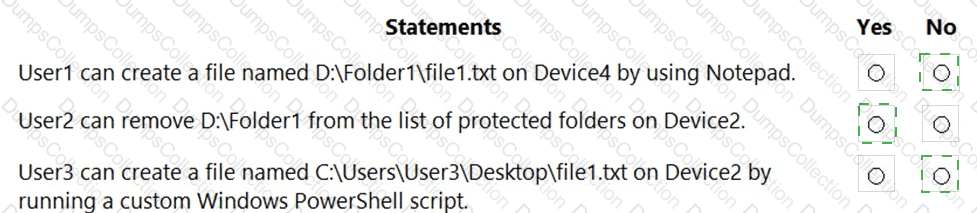
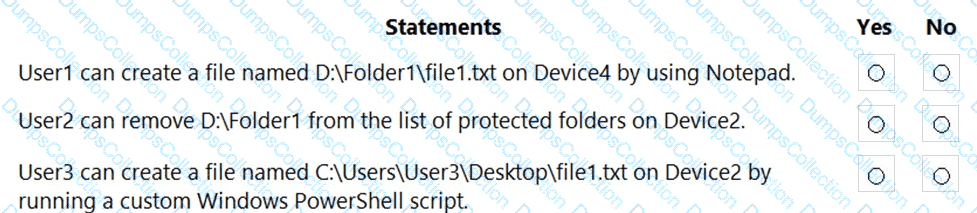
For each of the following statements, select Yes if the statement is true. Otherwise, select No.

NOTE: Each correct selection is worth one point.
Page: 1 / 4
Total 40 questions

Most Popular Certification Exams

Payment


Contact us

Site Secure

mcafee secure

TESTED 03 Oct 2026