You have a Microsoft 365 tenant.
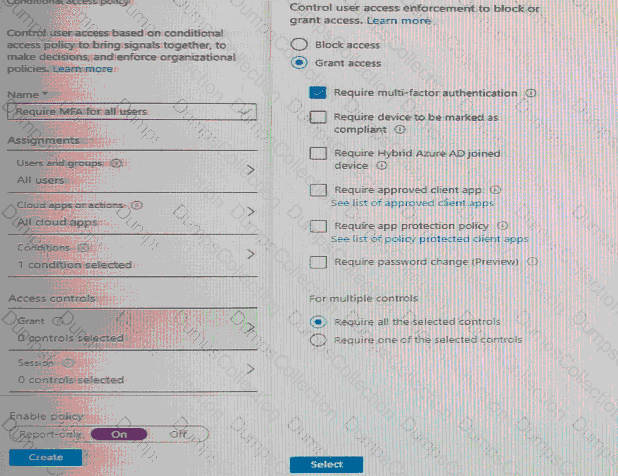
You configure a conditional access policy as shown in the Conditional Access policy exhibit. (Click the Conditional Access policy tab.)
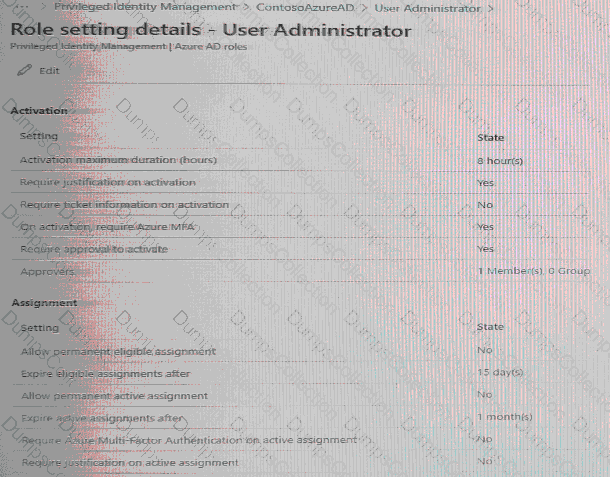
You view the User administrator role settings as shown in the Role setting details exhibit. (Click the Role setting details tab.)
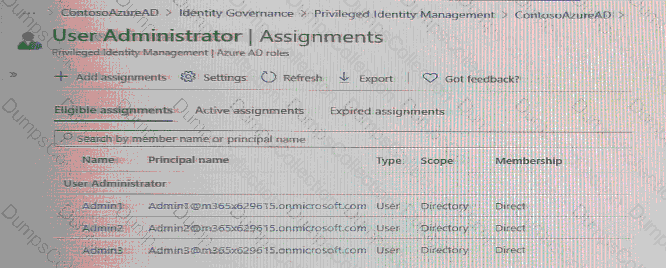
You view the User administrator role assignments as shown in the Role assignments exhibit. (Click the Role assignments lab.)
For each of the following statement, select Yes if the statement is true. Otherwise, select No.
NOTE: Each correct selection is worth one point.

You need to configure the detection of multi-staged attacks to meet the monitoring requirements.
What should you do?
You need to configure the MFA settings for users who connect from the Boston office. The solution must meet the authentication requirements and the access requirements.
What should you configure?
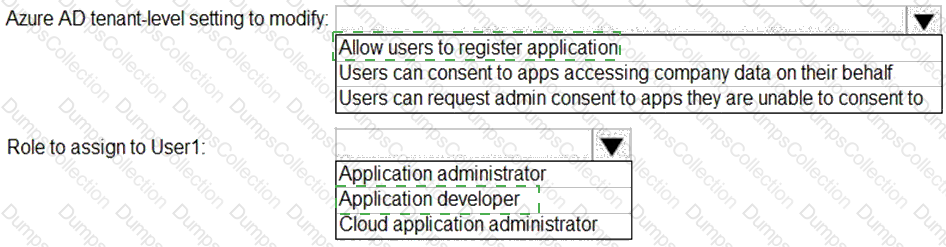
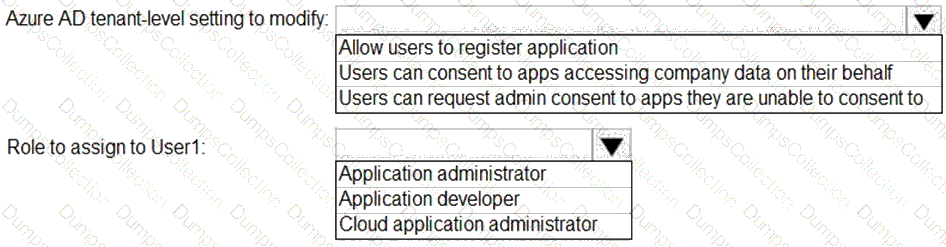
You need to configure app registration in Azure AD to meet the delegation requirements.
What should you do? To answer, select the appropriate options in the answer area.
NOTE:Each correct selection is worth one point.
You have a Microsoft 365 tenant.
The Azure Active Directory (Azure AD) tenant contains the groups shown in the following table.
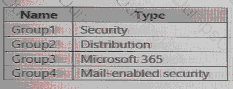
In Azure AD. you add a new enterprise application named Appl. Which groups can you assign to App1?
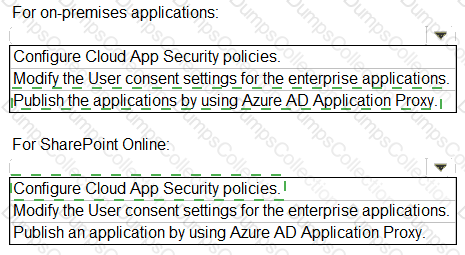
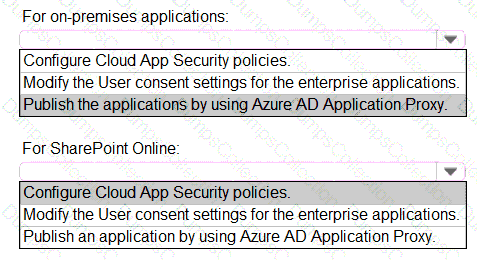
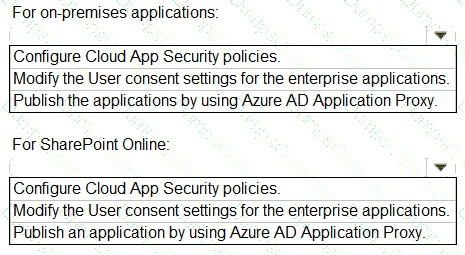
You need to implement on-premises application and SharePoint Online restrictions to meet the authentication requirements and the access requirements.
What should you do? To answer, select the appropriate options in the answer area.
NOTE:Each correct selection is worth one point.
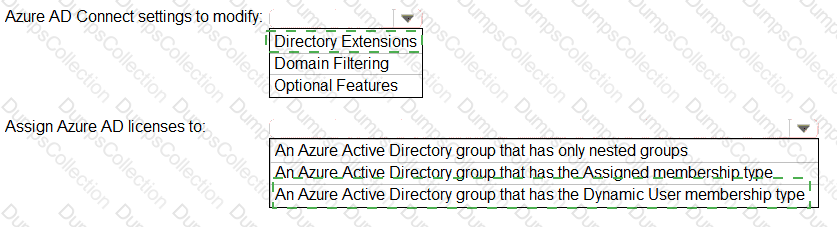
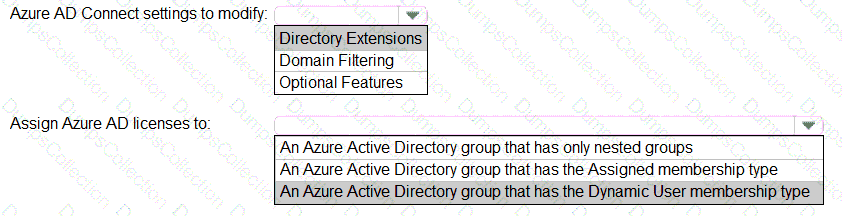
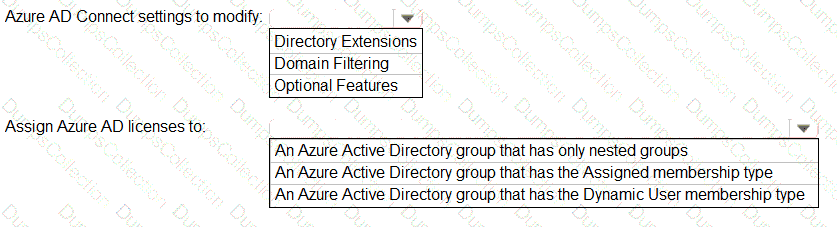
You need to configure the assignment of Azure AD licenses to the Litware users. The solution must meet the licensing requirements.
What should you do? To answer, select the appropriate options in the answer area.
NOTE:Each correct selection is worth one point.
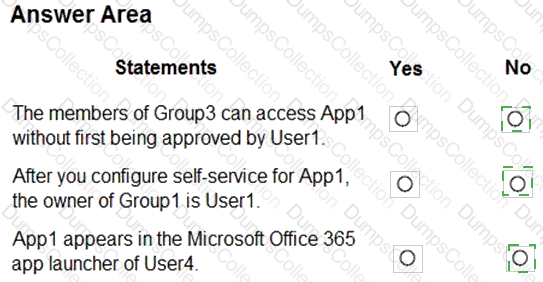
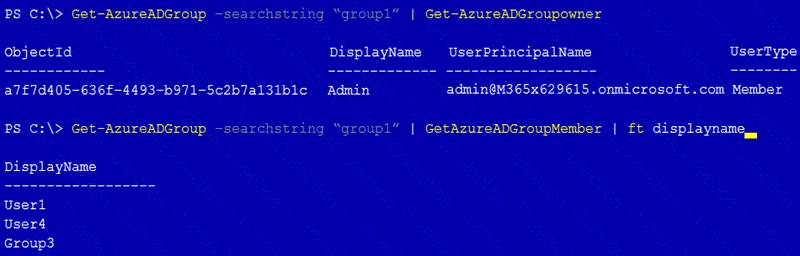
You have a Microsoft 365 tenant that contains a group named Group1 as shown in the Group1 exhibit. (Click theGroup1tab.)
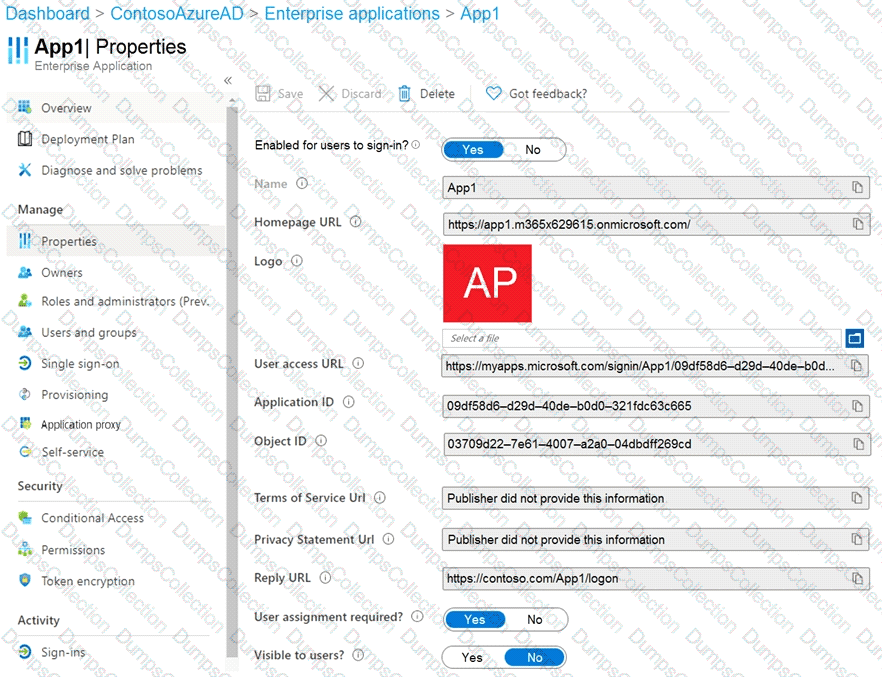
You create an enterprise application named App1 as shown in the App1 Properties exhibit. (Click theApp1 Propertiestab.)
You configure self-service for App1 as shown in the App1 Self-service exhibit. (Click theApp1Self-servicetab.)
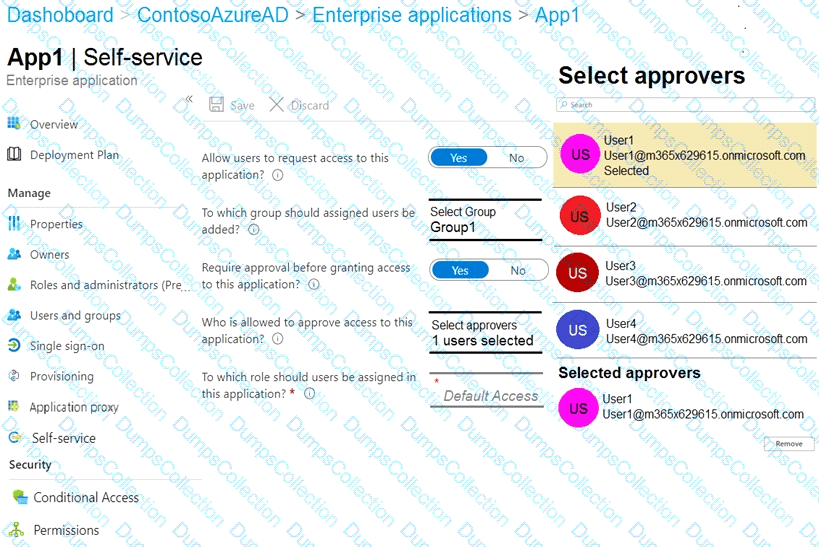
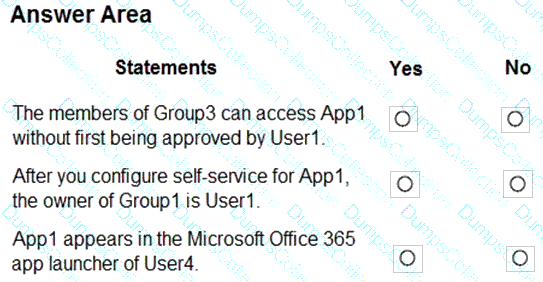
For each of the following statements, select Yes if the statement is true. Otherwise, select No.
NOTE:Each correct selection is worth one point.
You have an Azure subscription that contains a user-assigned managed identity named Managed1 in the East US Azure region. The subscription contains the resources shown in the following table.
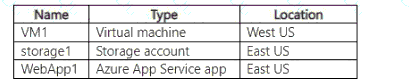
Which resources can use Managed 1 as their identity?
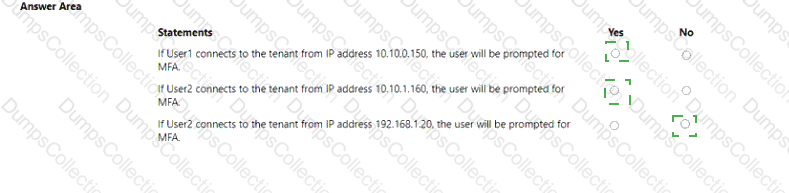
You have an AzureAD tenant that contains the users shown in the following table.

You have the locations shown in the following table.

The tenant contains a named location that Das the following configurations:
• Name: location1
• Mark as trusted location: Enabled
• IPv4 range: 10.10.0.0/16
MFA has a trusted iPad dress range of 193.17.17.0/24.
You have a Conditional Access policy that has the following settings:
• Name: CAPolicy1
• Assignments
o Users or workload identities: Group 1
o Cloud apps or actions: All cloud apps
* Conditions
* Locations All trusted locations
• Access controls
o Gant
• Grant access: Require multi-factor authentication
© Session: 0 controls selected
• Enable policy: On
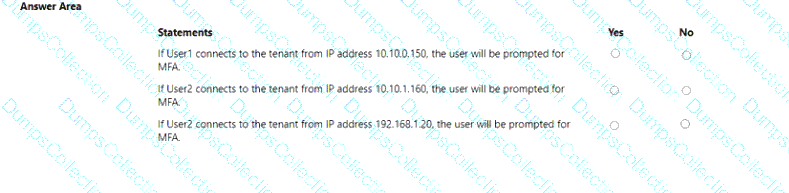
For each of the following statements select Yes if the statement is true. Otherwise, select No. NOTE: Each correct selection is worth one point.

TESTED 16 Oct 2026