You have a Microsoft 365 subscription.
Users have devices that run Windows 11.
You plan to create a Microsoft Purview insider risk management policy that will detect when a user performs the following actions:
● Deletes files that contain a sensitive information type (SIT) from their device
● Copies files that contain a SIT to a USB drive
● Prints files that contain a SIT
You need to prepare the environment to support the policy.
What should you do?
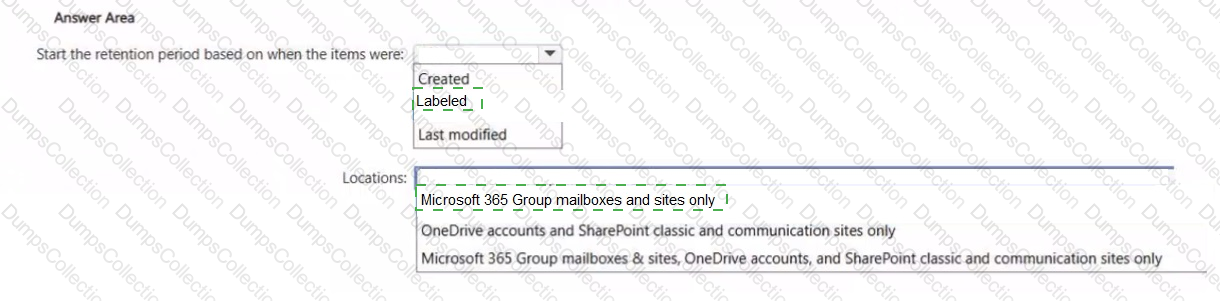
You have a Microsoft 365 E5 subscription that uses Microsoft Exchange Online and Teams.
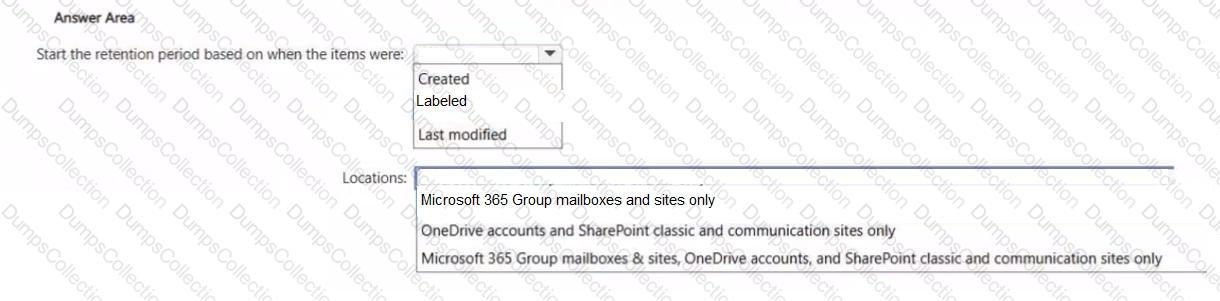
You need to ensure that when a user sends a message containing a cloud attachment, a retention label is applied to the cloud attachment by using an auto-labeling policy.
How should you configure the retention labe1 to start the retention period, and to which locations should you apply the auto-labeling policy? To answer, select the appropriate options in the answer area.
NOTE: Each correct selection is worth one point.
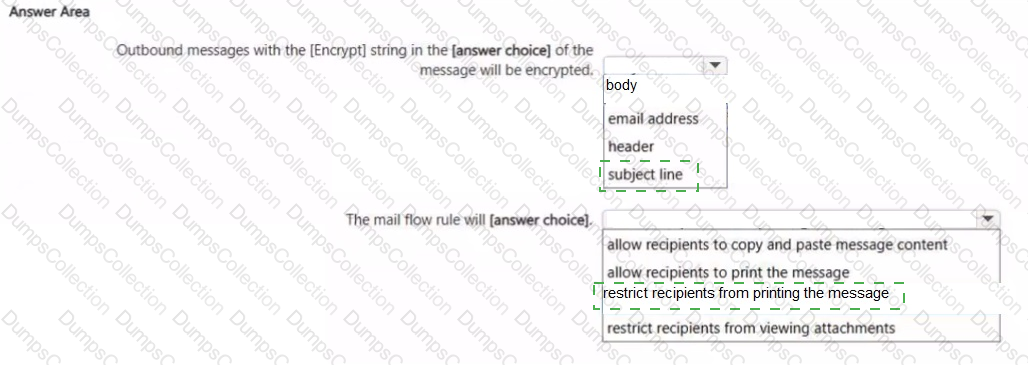
You have a Microsoft 365 E5 subscription.
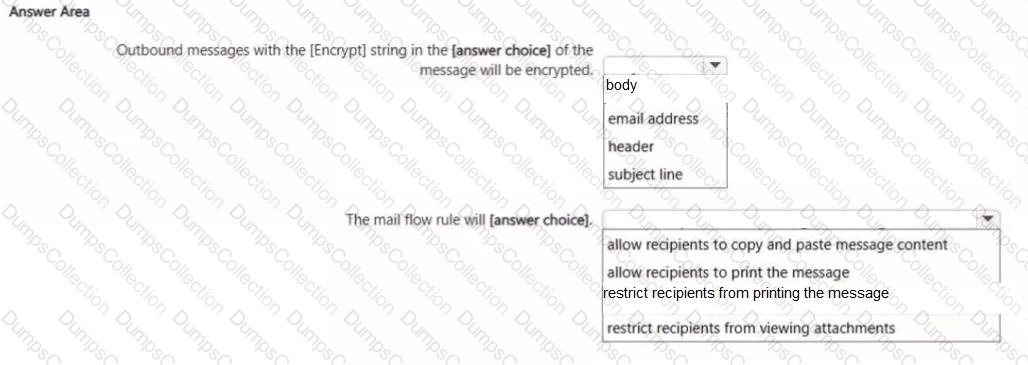
In Microsoft Exchange Online, you have the mail flow rule shown in the following exhibit.
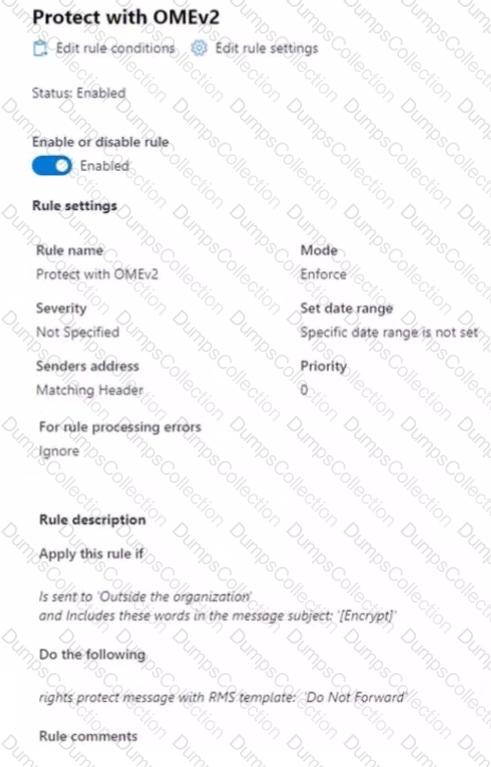
Use the drop-down menus to select the answer choice that completes each statement based on the information presented in the graphic.
NOTE: Each correct selection is worth one point.
You have a Microsoft 365 E5 subscription that contains a user named User1. You deploy Microsoft Purview Data Security Posture Management for AD (DSPM for AD). You need to ensure that User1 can verify the auditing status of the subscription. The solution must follow the principle of least privilege. To which role group should you add User1?
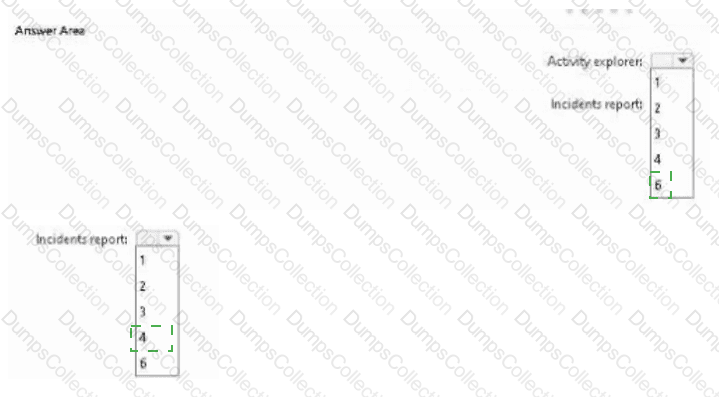
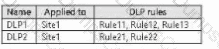
You have a Microsoft 365 E5 subscription that contains a Microsoft SharePoint Online site named Site1. Site1 contains three files named File1, File2, and File3.
You create the data loss prevention (DLP) policies shown in the following table.
The DLP rule matches for each file are shown in the following table.
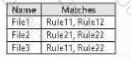
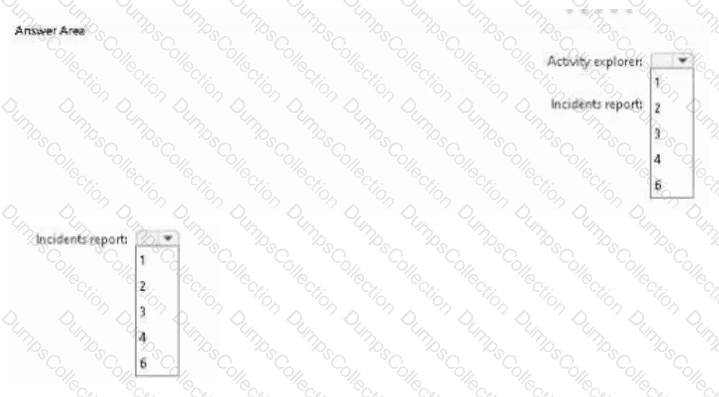
How many DLP policy matches events will be added to Activity explorer, and how many policy matches will be added to the DLP incidents report? To answer, select the appropriate options in the answer area.
NOTE: Each correct selection is worth one point.
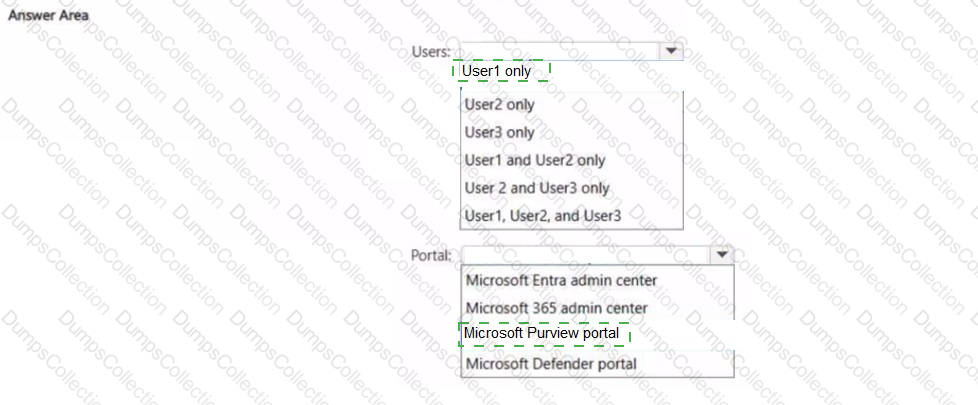
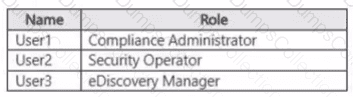
You have a Microsoft 365 E5 tenant that contains the users shown in the following table.
You need to implement sensitivity labels.
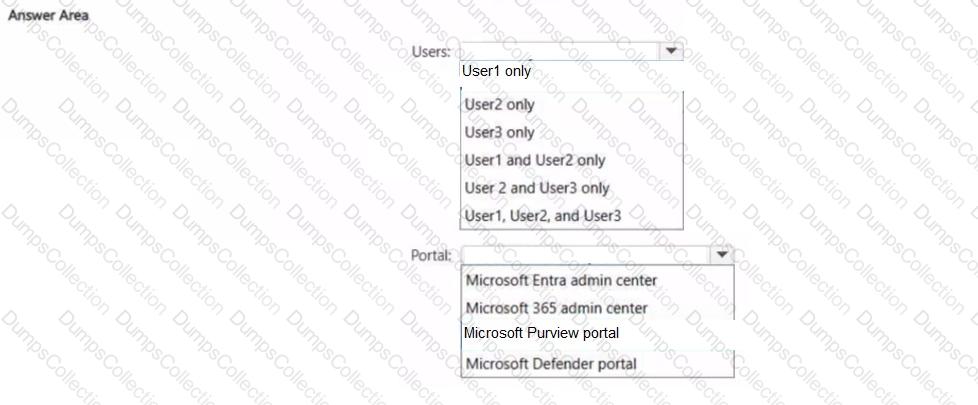
Which users can create sensitivity labels, and which portal should the users use? To answer, select the appropriate options in the answer area.
NOTE: Each correct selection is worth one point.
You have a Microsoft 365 E5 subscription.
You need to ensure that encrypted email messages sent to an external recipient can be revoked or will expire within seven days.
What should you configure first?
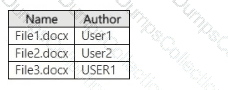
You have a Microsoft 365 E5 subscription that contains a Microsoft SharePoint Online site named Site1. Site1 contains the files shown in the following table.
In the Microsoft Purview portal, you create a content search named Conlent1 and configure the search conditions as shown in the following exhibit.
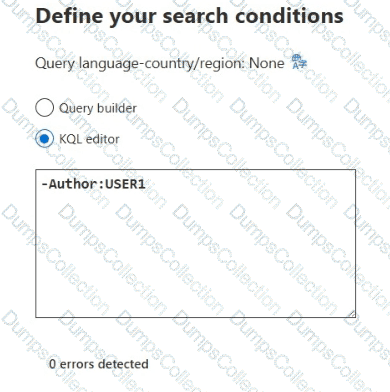
Which files will be returned by Content1?
You have a Microsoft 365 E5 tenant.
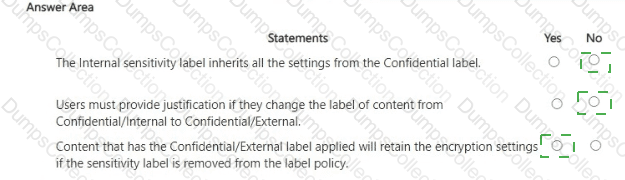
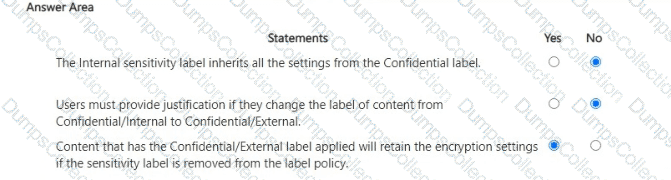
You have sensitivity labels as shown in the Sensitivity Labels exhibit. (Click the Sensitivity Labels tab.)
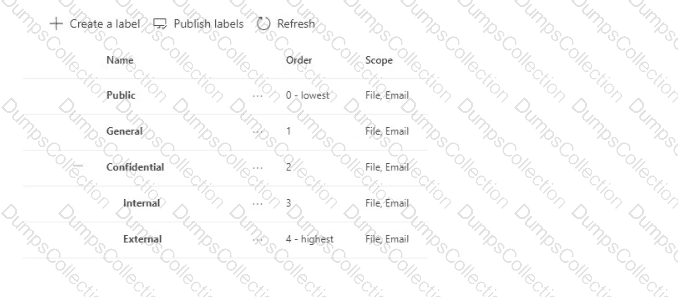
The Confidential/External sensitivity label is configured to encrypt files and emails when applied to content.
The sensitivity labels ate published as shown in the Published exhibit. (Click the Published tab.)
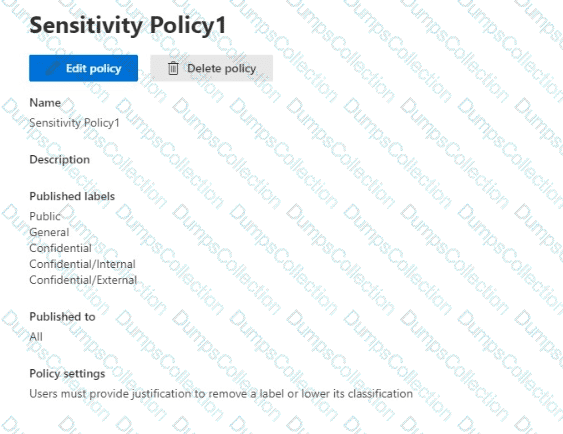
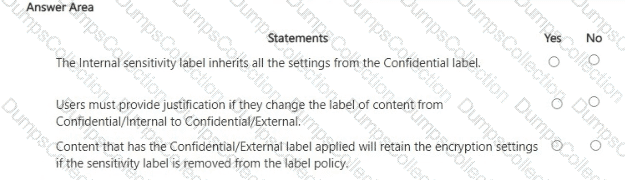
For each of the following statements, select Yes if the statement is true. Otherwise, select No.
NOTE: Each correct selection is worth one point.
Your company has a Microsoft 365 tenant.
The company performs annual employee assessments. The assessment results are recorded in a document named AssessmentTemplate.docx that is created by using a Microsoft Word template. Copies of the employee assessments are sent to employees and their managers.
The assessment copies are stored in mailboxes, Microsoft SharePoint Online sites, and OneDrive folders. A copy of each assessment is also stored in a SharePoint Online folder named Assessments.
You need to create a data loss prevention (DLP) policy that prevents the employee assessments from being emailed to external users. You will use a document fingerprint to identify the assessment documents. The solution must minimize effort.
What should you include in the solution?

TESTED 16 Oct 2026